
 Kontakt
 Jak kupować
Dostawa
Doradca ds. zakupów
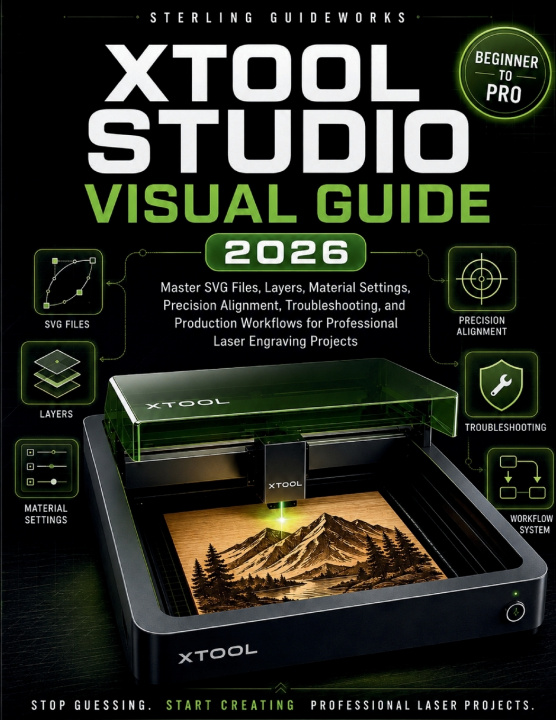
XTOOL STUDIO VISUAL GUIDE 2026
Master SVG Files, Layers, Material Settings, Precision Alignment, Troubleshooting, and Production Workflows for Professional Laser Engraving Projects
 Angielski
 44 b
44 b
 Nowość
Nawet do 30 dni na zwrot

Have you ever started a laser engraving project feeling excited, only to end up frustrated when something went wrong? Maybe an SVG imported incorrectly, an engraving produced only a blank shadow, or a perfectly centered design ended up misaligned on the material. Perhaps you spent hours searching YouTube videos, forums, and Facebook groups trying to solve a problem that should have taken only a few minutes. If so, you are not alone.
The challenge is not that laser engraving is difficult it is that the information is scattered. One tutorial explains layers, another explains settings, and a forum post discusses SVG files. Instead of learning a complete workflow, most users are left piecing together information through trial and error. The result is wasted materials, inconsistent results, and unnecessary frustration.
XTOOL STUDIO VISUAL GUIDE 2026 was created to change that.
This practical, visual user guide helps you understand how xTool Studio works as a complete system. Rather than overwhelming you with technical jargon, it provides clear explanations, visual workflows, and real-world guidance to help you work with confidence. Whether you own an xTool S1, P2, F1, M1, D1 Pro, or another compatible machine, this book is designed to help you achieve cleaner engravings, more accurate cuts, and more consistent project results.
Inside this guide, you will learn how to:
• Import and work with SVG, PNG, JPG, DXF, and PDF files
• Understand layers, colors, object management, and processing assignments
• Choose material settings with greater confidence
• Use engraving, cutting, scoring, and fill operations correctly
• Position projects accurately using preview, framing, and alignment tools
• Troubleshoot common problems such as blank engravings, weak cuts, burn marks, poor contrast, and software errors
• Create personalized keychains, signs, coasters, photo engravings, and multi-step projects
• Build repeatable workflows that improve efficiency and consistency
• Optimize production for personal projects, gifts, side hustles, Etsy shops, and small-business workflows
You will also receive valuable bonus resources, including:
• xTool Studio Shortcut Cheat Sheet
• Material Settings Test Grid Guide
• Beginner Project Checklist
• Small-Business Pricing Worksheet
• Laser Safety and Workflow References
Consider this: How much more enjoyable would laser engraving be if you spent less time searching for answers and more time creating? How many materials, hours, and frustrations could be saved if you understood not only what to do, but why each step matters within the workflow?
This book is designed to provide that understanding. It replaces guesswork with clarity, confusion with confidence, and inconsistent results with repeatable success. Each chapter builds on the last, helping you progress from beginner uncertainty to a more structured and professional approach to laser engraving.
Whether your goal is to create better projects, solve problems faster, improve your skills, or build a foundation for a future laser engraving business, this guide provides the practical knowledge and visual instruction needed to get there.
If you are ready to stop piecing together scattered information and start learning xTool Studio through a clear, organized, and visual workflow, this may be the guide you have been searching for.
Disclaimer: This book is an independent educational user guide and is not affiliated with, endorsed by, sponsored by, or authorized by xTool. All trademarks remain the property of their respective owners. Always follow official manufacturer instructions and safety recommendations when operating laser equipment.


Informacje o książce
Angielski
Kategoria

Podaruj tę książkę jeszcze dziś
To łatwe
1 Dodaj książkę do koszyka i wybierz „dostarczyć jako prezent” 2 W odpowiedzi wyślemy Ci bon 3 Książka dotrze na adres obdarowanegoCześć! Jestem Libroamiko, Twój doradca książkowy.
Jak mogę Ci pomóc?